5.4 Centralized management of IT tools used by each Processing entity
In addition to the customization possibilities, TPOmap foresees a central management of the IT Products.
Based on TPO’s consulting experience, it has turned out that the correct mapping of the IT Products used to support a given data processing activity is essential for defining the technical & organizational measures that are appropriate to properly secure such personal data processing activity as requested by art. 32 GDPR.
Therefore, TPOmap allows a centralized management of the IT Products related information.
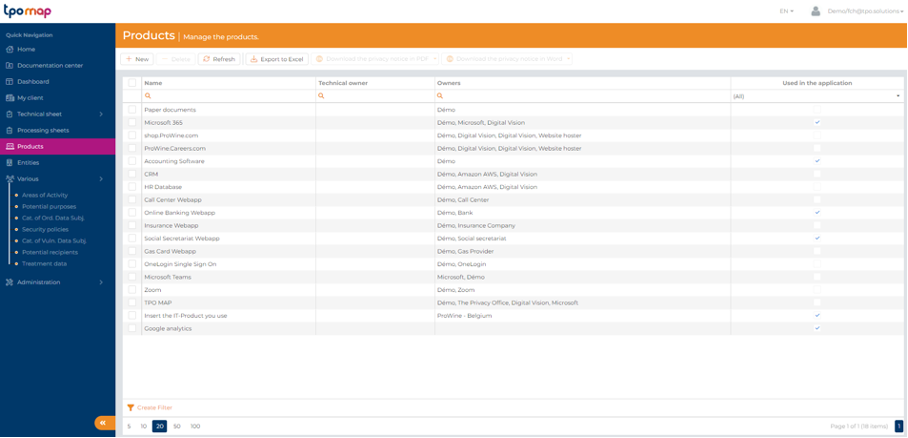
An IT Product is defined as the name of an IT application (ex. name of accounting software), service (ex. Office 365) or other resource (ex. paper) used as a support for the processing activity.
TPOmap considers that an IT Product has an Internal Asset Owner if it is deployed on the Processing entity’s own infrastructure (in which case, the name of the Internal Asset Owner = the name of the Processing entity or the legal entity behind the Processing entity), while an IT Product has an External Asset Owner if it is deployed on an external infrastructure (ex. cloud provider – in which case, the name of the External Asset Owner is the name of the cloud provider).
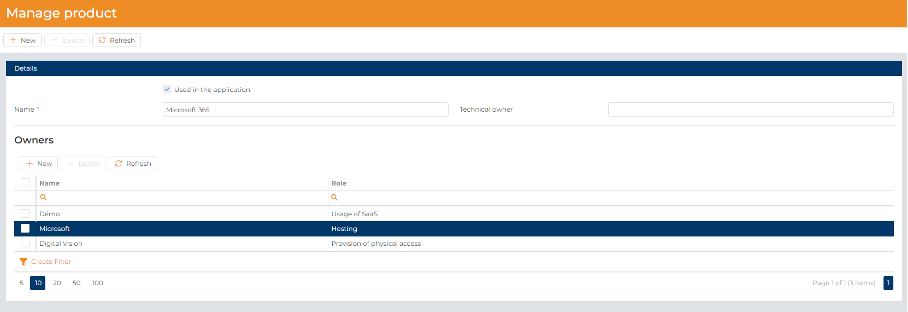
For each Asset Owner, you will have to encode the following information:
- The name of the Asset Owner and its address:
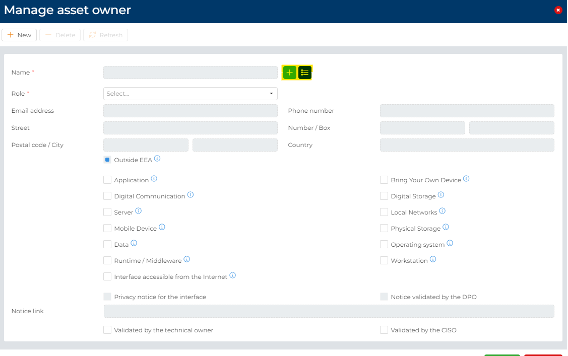
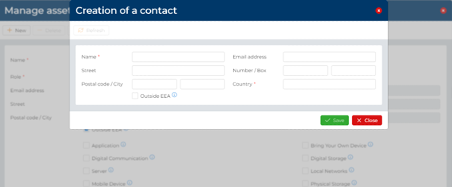
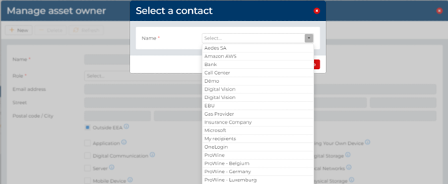
You can create a new contact [via the green button] or select an existing contact [via the blue button] (selection enable between previous asset owners created; your processing entities or potential recipients).
2. Then you must select the role of the asset owners regarding the product. The different role a pre-defined in a dropdown list.
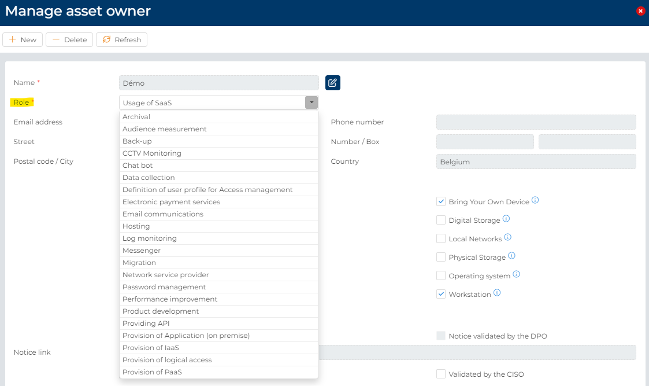
3. You must tick the difference resource for which the security belongs to the asset owner. For your facilities, we have predefined resource for which the asset owner could be responsible for according to its role. You can overrule our assessment and tick the resource you want.
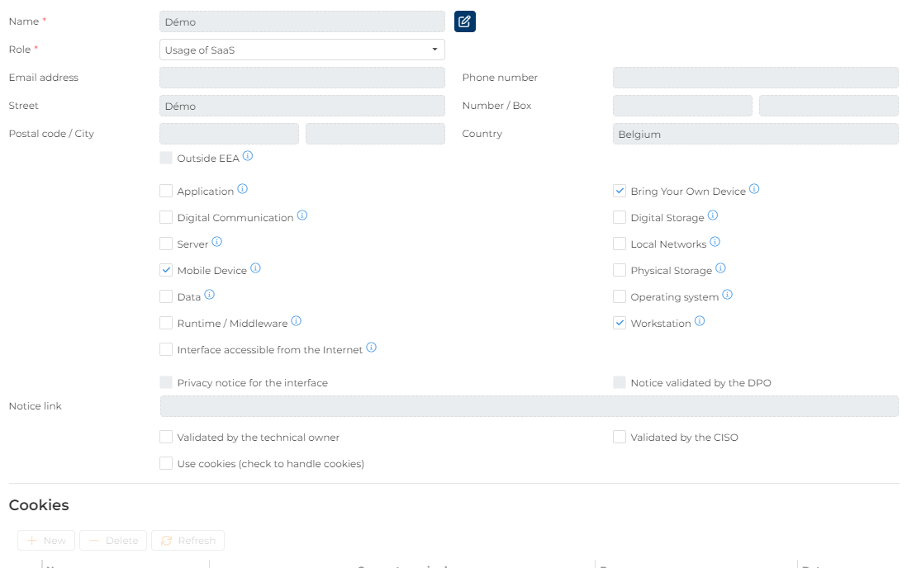
4. If you have selected “Interface accessible from the Internet”, you can tick that a Privacy notice exist for this interface and add the link to the privacy notice.

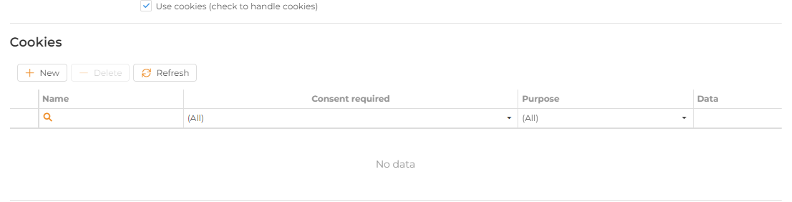
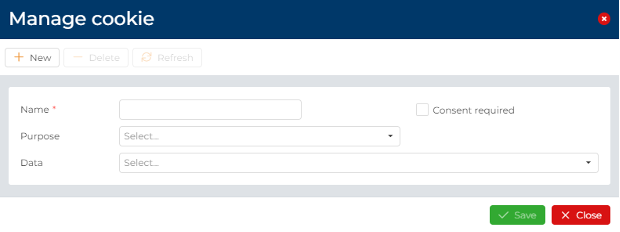
5. If your products use some cookies (ex.: your website), you can add them by clicking on “Use cookies” to add the cookies by adding its name; purpose and the data processed by the cookies and to indicate if the cookies requires the consent.