10.6 Extract relevant information and statistics about the legitimacy of processing by using the TPOmap Dashboard
10.6.1 Provide a clear status of your Legal Grounds implementation status and percentage of respect of the transparency
The metrics that are important for the Module 5 – Legitimacy of the processing are the following:
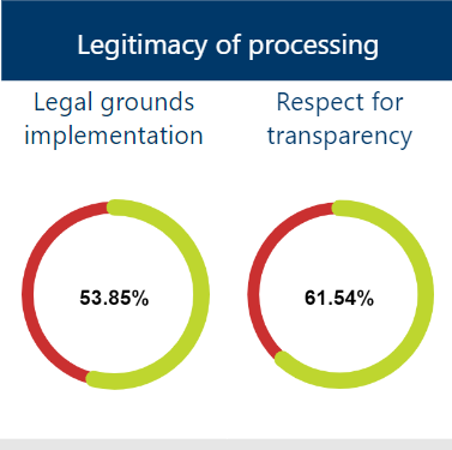
These metrics show two important counters:
- Legal grounds implementation status
This counter will display global percentage of implemented Legal Grounds for all processing sheets currently stored in the TPOmap Application.
Implementing appropriate Legal grounds for each processing and recording this information in the corresponding Processing sheets Chapter 12 – Most appropriate legal grounds will raise this counter towards 100%.
- Respect for transparency
This counter will display the total percentage of privacy notice put in place taken count of every data subject for every processing sheets. Implementing appropriate Privacy Notice for each processing and each data subject and recording this information in the corresponding Processing sheets Chapter 13 – Applicable data subjects rights will raise this counter towards 100%.
As a standard, these counters take count of ALL Processing sheets.
It is however possible, thanks to the “Scope” menu of the Dashboard, to take only count of:
- The Records of a specific processing entity;
- The Records of validated or not validated Processing sheets ;
- The Records pertaining to one or more selected Processing sheets;
- The Records pertaining to a specific area of activities of your organization;
- The Records pertaining to processing activities that present a high level of risk;
- The Records pertaining to one or several data subjects;
The Records pertaining to Processing sheets with a specific status.
For more information on how to use the “Scope” menu, please refer to Part 10.1.2.1.
10.6.2 Allow to easily select and download relevant information
By using the information displayed in this module, you will be able to:
- List processing activities by Legal Grounds;
- Provide the implementation status of Legal Grounds;
- Provide lists of processings per type of data subject in order to facilitate the drafting of privacy notices.
To access the information displayed in this module, please click on the “Legitimacy of processing” title button of TPOmap Dashboard, you will be led to a window providing you with an overview of all the informations about the legitimacy of the processing activities documented in your GDPR Record.

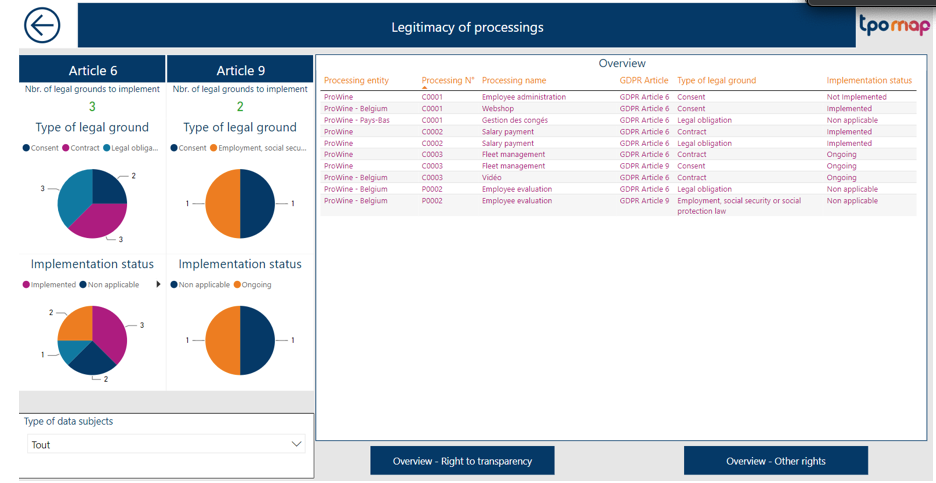
The Legitimacy of processing Dashboard page will allow you to have an overview of the Type of Legal Ground and their Implementation status for each processing.
By clicking left on any of the columns name in the overview window, you can order the list by the corresponding category. If you want to have a more efficient view, it is possible to expand the overview window by using the focus mode.
Please refer to Part 10.2.2 for more information about the focus mode.
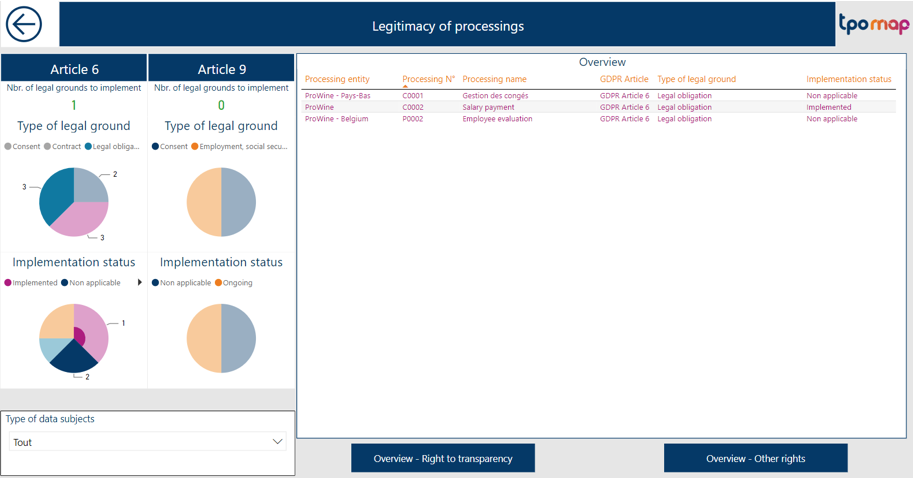
By clicking on the relevant parts of the upper two pie charts in the left window, you will be able to filter the list in the overview window by the Article 6 or 9 Type of Legal Grounds of your choosing.Example: List of processings displaying only the processing having an Article 6 Legal obligation Type of legal ground.
By clicking on the relevant parts of the lower two pie charts in the left window, you will be able to filter the list of processings in the overview window by the recorded Implementation status of your choosing.Example: List of processings displaying only the processing having an legal ground with a Ongoing Implementation status.
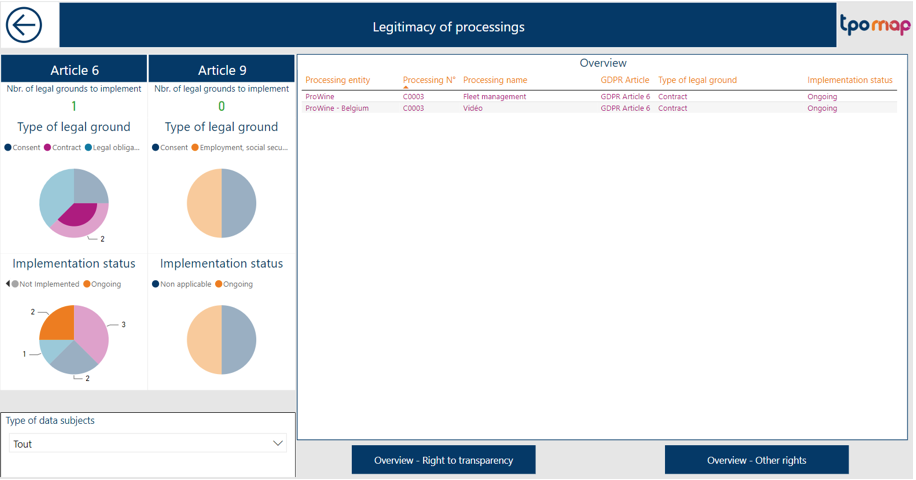
! Please note that only one filter can be applied at any time, by clicking on a new part of a pie chart, all previous filters will be cancelled to display the corresponding new one
In order to facilitate the drafting of a privacy notice for employees and privacy notice for other concerned persons, you can also use the filter function in the bottom left corner window and select the data subjects you want.
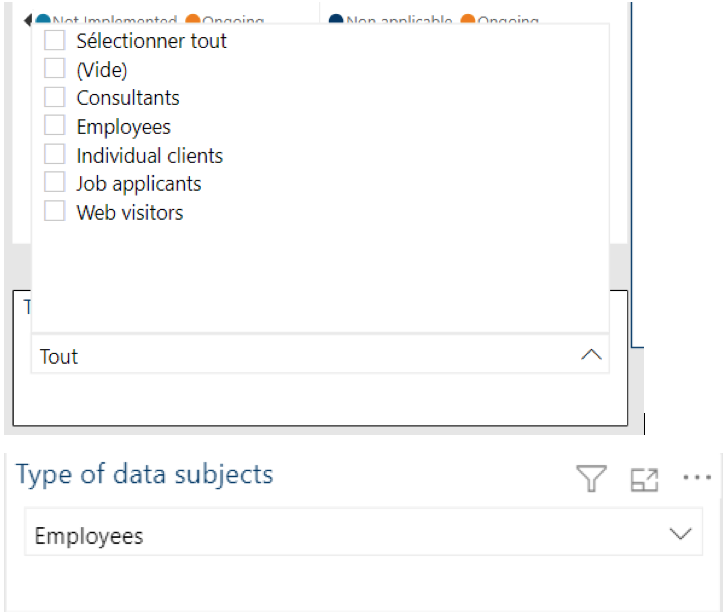
You will then obtain in the overview window a list of the processings which need to be mentioned respectively in the privacy notice you have to implemented. Example: List of processing displaying only the processing having Employees as Data subjects.

Note that all these filters can be used together, you can use the Type of Legal Ground or/Implementation status filter and the Type of Data subjects filter at the same time for example, but you cannot used the Type of Legal Ground filter and the Implementation status filter at the same time:

Based on these filters, you will easily identify the Legal Grounds applicable for every type of data subjects in order to facilitate the writing of privacy notice.

The two buttons in the bottom of the page will allow you to display respectively:
- A complete list of processings per type of data subject in order to track the existence of privacy notices ;
Example: In that case, for example a Privacy Notice should be written for the processing Fleet Management of ProWine.
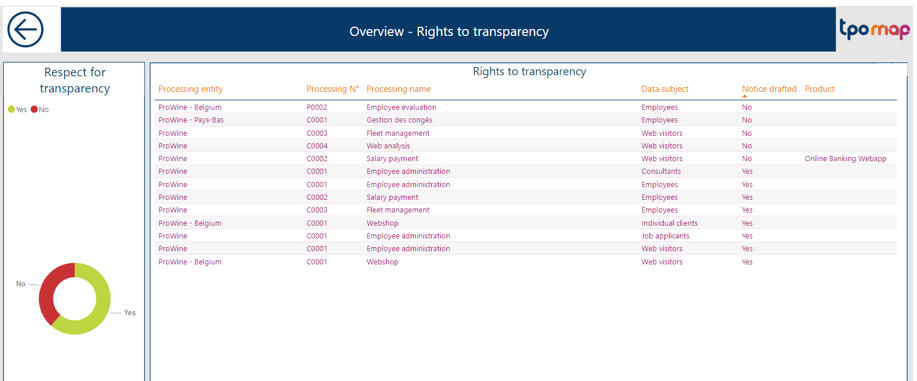
You can also filter on the chart to show only the processing that still needs to be reflected in a privacy notice; or the processing that is already reflected in a privacy notice.
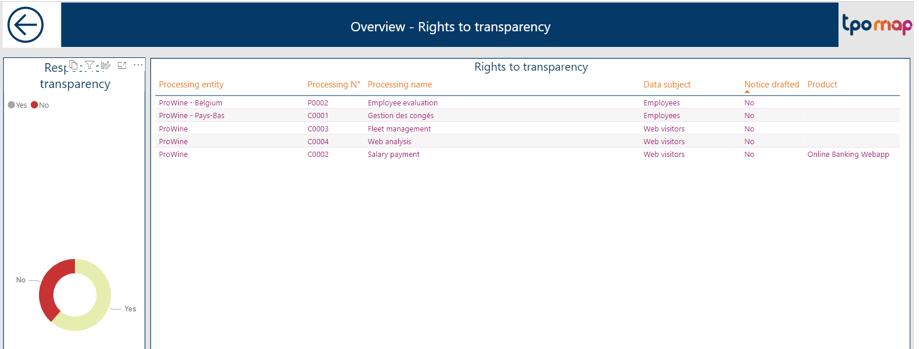
As in any overview window in TPOmap, each list can be ordered by any category by clicking left on the respective column name. A complete list of all applicable data subjects rights per processings.
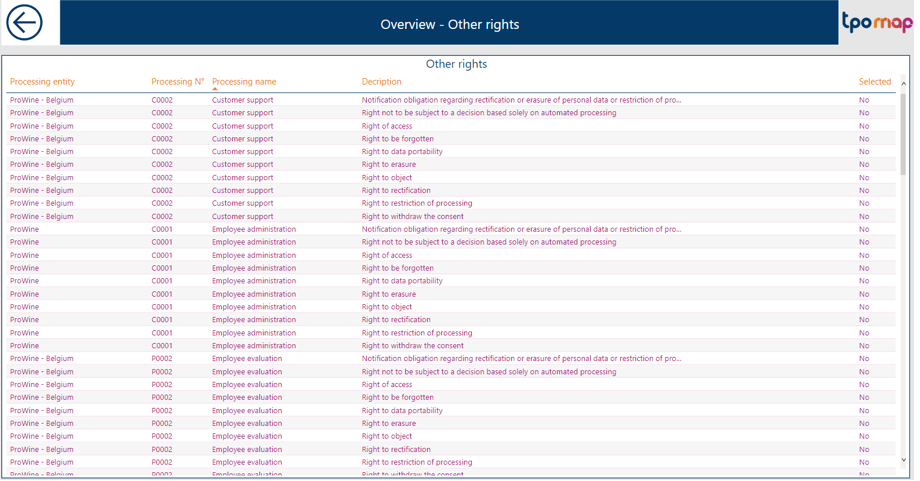
It will help you to determine quickly if a request from a data subjects is applicable to the processing or not.
As in any overview window in TPOmap, each list can be ordered by any category by clicking left on the respective column name.