9.2 Allow to easily select and download relevant information regarding Internal measures
By using the information displayed in this module, you will be able to:
- Provide implementation status of internal security measures
- Identify and provide lists of internal IT products involved in personal data processing
- Identify compliance gaps with reference security measures
You can then prioritise your actions and make the use of your IT Products safer by adopting the missing security measures.
To access the information displayed in this module, please click on the “Internal measures” title button of TPOmap Dashboard, you will be led to a window providing you with an overview of all the informations about the implementation status of the internal technical and organisational measures documented in your Technical & Organisational sheet.
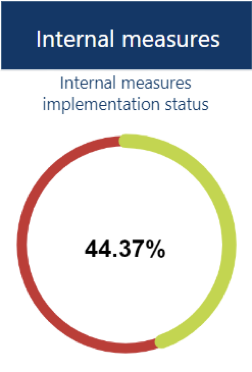

9.2.1 Gap analysis
9.2.1.1 First level analysis
The gap analysis provided in a first view is an overview of the implementation status of each category of appropriate Internal Technical and Organisational Measures.
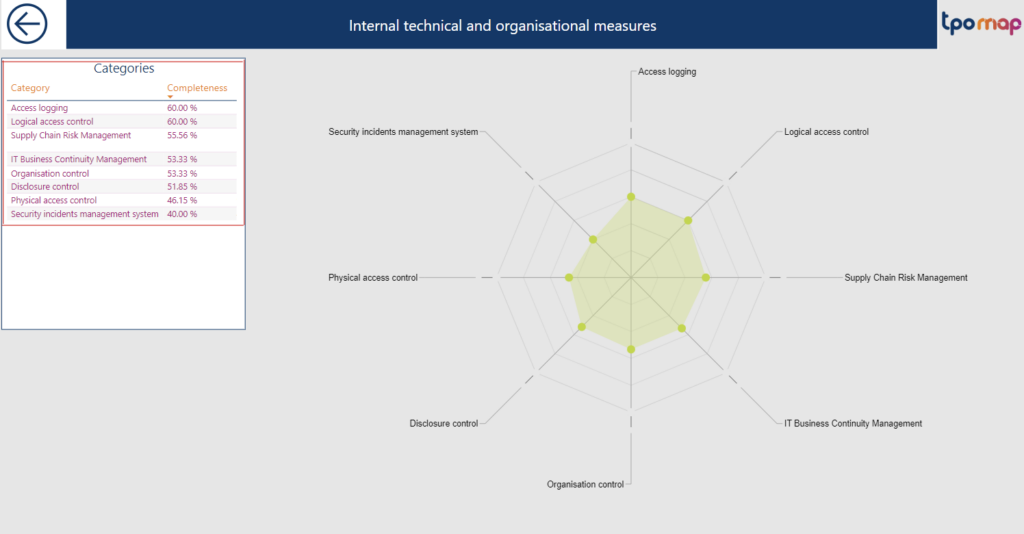
The number of categories displayed may change depending of the categories of measure applicable to the supporting assets used by the IT products used by your particular processing entities.
9.2.1.2 Second level analysis
When clicking right on a category of security measures, you will be able to display the detailed description of each of the Internal Technical and Organisational Measures with, among others informations, the detail of their implementation status, which products they apply to and which processings they apply to (classified by type of risk).

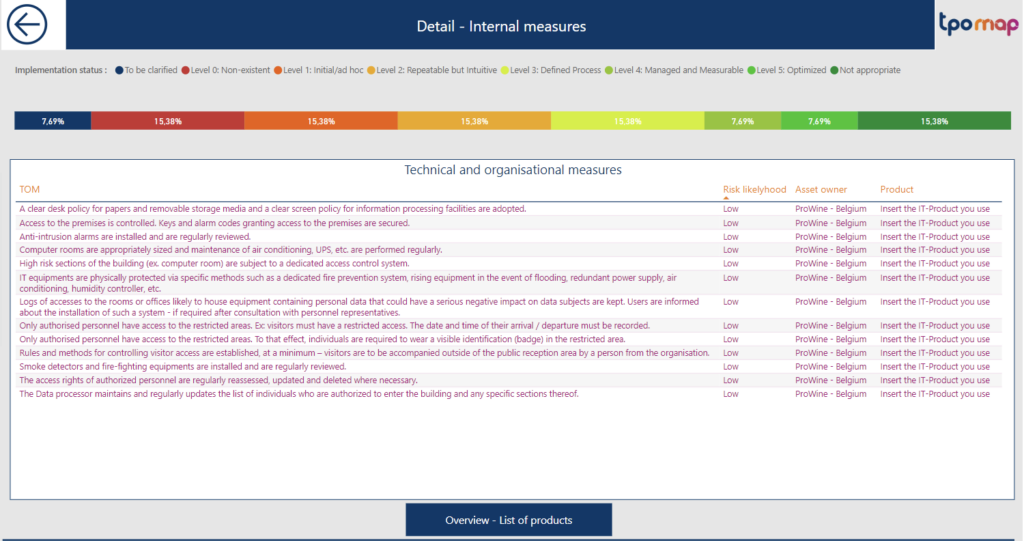
Each color tab represents a level of implementation status of the measures according to the information fill-in in the Technical & Organizational Sheets.
The list of measures can be expanded by using the focus mode.
By clicking left on any of the columns name in the overview window, you can order the list by the corresponding category.
The list of measure can be exported as an Excel or csv file at any time, please refer to Part 10.5.3 Extracting information outside of the TPOmap Dashboard for more details on this functionality.
To extract the most relevant information from that list, it is possible to filter the list of technical and organisational measures by clicking directly on a coloured part of an implementation status bar of the gap analysis.

By this graphical method, please note that only one category of measures or status can be selected at any time. By clicking on a new coloured part of a status bar, the previous filter will be cancelled to display the corresponding new one.
Please click again on the currently selected filter to reset it and display all categories and status or measures.
9.2.2 List of internal products

Clicking on the Overview – List of products button at the bottom of the second level gap analysis page will display the following page:
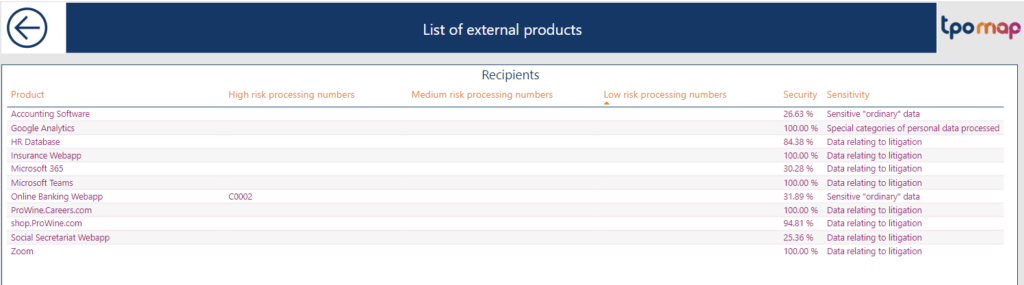
Information about each internal product used by the processings in the Record of processing activities is summarised.
It can be used to identify which product are used by a large number high risk processing or for the processing of sensitive data and therefore defining appropriate priorities in the related internal technical and organisational measures implementation roadmap.
By clicking left on any of the columns name in, you can order the list by the corresponding category as well as using the focus mode and export data functionalities described previously.